How to play charades in classroom settings
Classroom charades works when rules are simple, teams are balanced, and prompts match student level.
Loved by players
Loved by players
1,000+
downloads
App Store and Google Play
5 stars
5-star rated on the App Store
What players say
Set up teams in under a minute and laughed for an hour.
No installs for my friends - just pass the phone.
The AI keeps throwing new prompts so nobody gets bored.
Free - iOS & Android
Play now - Get Showem
Choose categories and round rules, run teams and timers, and keep scores on one phone - built for in-room charades on iOS and Android.
Fully customizable game rules
Add your friends in seconds
Automatic team shuffling
Ready, set, Showem!
Download Showem free


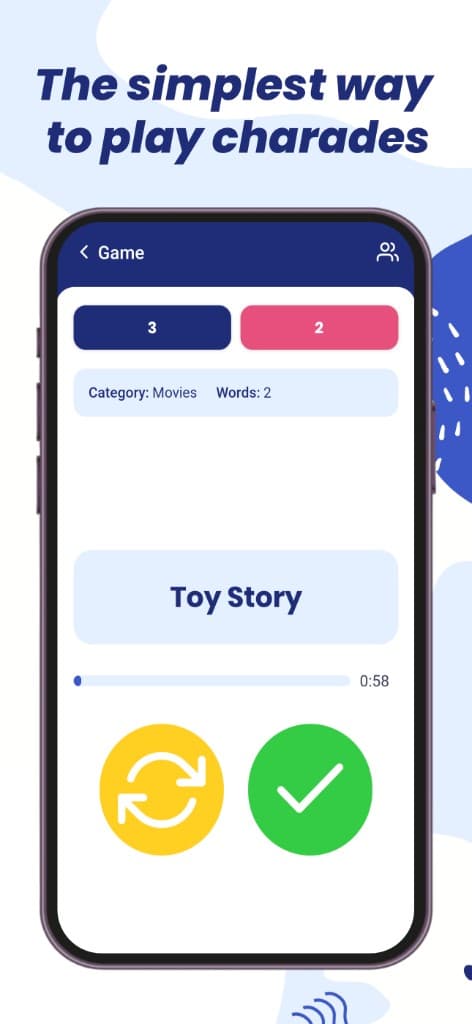
See how Showem works
Screens from the latest app - from setup to the word on the card.

Fully customizable game rules

Add your friends in seconds

Automatic team shuffling

Ready, set, Showem!
Set short rules and demo one round
A short demonstration removes confusion and gives students a model before competitive rounds start.
Use curriculum-friendly categories
Pick categories tied to language, science, or history topics when you want learning and play in the same activity.
Rotate quickly to maintain focus
Frequent rotation keeps the whole classroom engaged and limits side conversations.